Showing posts with label ios. Show all posts

Tuesday, 11 October 2016

iPhone 7 Plus Review


The iPhone 7 plus is Apple’s main flagship of 2016. The device itself looks very similar to the iPhone 6/S except for a few changes with the antenna bands and, of course, the second camera and the ‘revolutionary’ Jet Black. I personally went for the Matte Black 256GB as I didn’t want to deal with scratches associated with the Jet black model.  After experiencing some hiccups (hissing noise) from day one which still has not been resolved, I have managed to work around that annoying noise that prohibits me from using the Video/Voice recorder until Apple finally replaces my device. So unfortunately I will not have any video comparisons yet. I won’t be focusing on the design as it is played out and to be honest boring.


Battery


The main features to me are usability and network. I am a heavy user and need my devices to be up and running all day. For some time now I have been carrying around an extra battery pack to keep me topped up. With the 7 Plus’s 2900mAh battery, optimisation of iOS 10 and the in house Apple A10 processor, I am getting around 1.5 days worth of usage which is incredible. My usage patterns involve playing games (Hearthstone and Pokemon GO), social media, calls and camera. On the odd day I would even see 2 full days of usage.  My usage roughly starts from 8am in the morning and I have been ending the day on 40-50% battery. This means I do not have to charge it overnight; in the mornings I would only be seeing around 1-2% of battery drain whilst I am sleeping. For me this is absolutely perfect on battery life; this is what I have come to expect from flagship devices. Apple has hit the nail on the head with the iPhone 7 Plus battery life.

Performance


Handling the everyday task was smooth and fluid, this being incredibly noticeable since I am a heavy Android user constantly facing poor optimisation of applications. After diving in to the Apple eco-system it is easy to see why they are so popular. Simplicity is everything in iOS, the way that things just work shows how much control Apple has over its operating system. One of the first things you notice is how fast applications open and load up. RAM management is on point and multitasking through all your open applications is painless and smooth. I find myself jumping back and forth between multiple applications with no sign of lag or stuttering. The new Taptic (haptic) home ‘button’ actually didn’t take as long as I thought to get used to- after about a day I didn’t even notice the difference between the physical button and the new sensor.

Call quality on the other hand, I was expecting to be very clear and crisp, in comparison to the Samsung Galaxy Note 7. I found that the iPhone was lacking a bit in quality as I was constantly having to check the volume of the device to hear who I was speaking to. I obviously went through testing of the two devices on the same carrier and turning VoLTE on/off. One of the interesting things I have been testing out is the speeds I am getting on Telstra’s 4GX network; these results have been amazing. The speeds on average I was getting on the iPhone 7 Plus were Download: 140Mbps Upload: 40Mbps Ping: 20ms. These speeds are insane and definitely help with everyday use.


Camera


The camera for me has been a pleasure to work with. I managed to get out and take some quick comparison photos between the Galaxy Note 7 and iPhone 7 Plus. I will be doing a full comparison after I capture some low light shots. Below are a few images to take a look at and make your mind up about: 

iPhone 7 Plus Cactus

iPhone 7 Plus Reflection

iPhone 7 Plus Vibrant

iPhone 7 Plus Blue Skies


Thursday, 16 October 2014

Apple iPad Air 2, iPad Mini 3: Australian Pricing, Release Date

Apple woke everyone up early this morning to perpetuate its obsession with thin, sexy gadgets. The iPad Air 2 is here, and here’s what it will set you back in Australia, as well as when you can lay hands on it!

iPad Air 2

The new iPad Air 2 measures just 6.1mm thin; 18 per cent thinner than the first iPad Air and packs in the new A8x processor for super-fast processing and gaming.
It comes in three storage variants: 16GB, 64GB and the new 128GB tier. All three come with either Wi-Fi only or Cellular connectivity options.
The iPad Air 2 starts at $619 for the 16GB Wi-Fi, and moves up to $739 for the 64GB Wi-Fi, right through to $859 for the 128GB Wi-Fi model.
Adding Cellular capability increases the cost, with the 16GB Cellular model starting from $779; the 64GB Cellular costing $899 and the 128GB Cellular model costing $1019.
All are available for pre-order from tomorrow, and Apple says orders will be shipped from “later next week”. We suspect either Thursday or Friday.
Apple will continue to sell the original iPad Air, starting at $499 for the 16GB Wi-Fi model, moving up to $549 for the 32GB Wi-Fi option. The Cellular iPad Air will cost you $659 for the 16GB model, while the 32GB iPad Air with Cellular will cost $709.

iPad Mini 3

Apple updated the iPad Air today with TouchID capabilities. From the looks of things it’s still running the old A7 processor, however.
Let’s take a look at the Wi-Fi models first. The 16GB iPad Mini 3 with Wi-Fi only will start from $499; the 32GB Wi-Fi will cost $619, while the 128GB option will cost $739.
For those who want to do it with Cellular, you’ll be paying a little extra. The 16GB Cellular iPad Mini 3 starts from $659; the 32GB will cost $779 and the 128GB Cellular costs $899.

iPad Mini 2 and iPad Mini

The original iPad Mini with Retina Display is now being rebranded as the iPad Mini 2. Meanwhile, the very first iPad Mini will continue to be known as such.
Both models will still continue to be sold around the world to give better pricing choices to people looking for a cheap Apple tablet.
You’ll be able to pick up the original iPad Mini sans Retina display for $299 for the 16GB Wi-Fi model, or $459 for the 16GB Cellular model.
The Retina display-packing iPad Mini 2 will cost you $369 for the 16GB Wi-Fi version, $429 for the 32GB Wi-Fi version, or $529 for the 16GB Cellular version and $589 for the 32GB Cellular version.
Source: http://www.gizmodo.com.au/2014/10/apple-ipad-air-2-ipad-mini-3-australian-pricing-release-date/
If you want to contact RDT please feel free to call between the hours of 9am-8pm AEST. deon@robertsondt.com Ph: 0426279566 or visit https://www.facebook.com/rdtaus

Apple to launch iOS 8.1, Apple Pay on the 20th of October

Apple on Thursday said that its mobile payment system – Apple Pay – will go online starting the 20th of October, 2014, when the company rolls-out iOS 8.1, a new major update to the mobile OS from Apple. While the Apple Pay could eventually be a revolution, the vast majority of the company’s customers will expect the iOS 8.1 because of many other reasons.
When Apple released its iOS 8 last month, it faced a massive amount of criticism because of numerous bugs in the operating system as well as because the company removed certain features, but has never added certain new ones, which had been announced before. Among the key things that the iOS 8.1 adds/returns – among bug fixes and other things – there are Camera Roll as well as Continuity.
Continuity allows to make and receive phone calls on a Mac or an iPad as well as edit a single document on multiple devices at once. The cloud-based continuity technology will clearly make owners of Apple products generally more productive.
apple iphone pay 1024x989 Apple to launch iOS 8.1, Apple Pay on the 20th of October
For Apple itself the iOS 8.1 mobile platform has a meaning that is hard to overestimate. It will support Apple Pay, which is expected to bring hefty profits to the consumer electronics giant. With the help of Apple Pay the company will be able to significantly change the market of mobile payments thanks to support from major retailer networks. Moreover, Apple Pay will help the platform owner to earn on products sold by other companies, something that many firms just dream of.
“Our team has worked incredibly hard to make Apple Pay private and secure, with the simplicity of a single touch of your finger,” said Eddy Cue, Apple’s senior vice president of Internet software and services. “The reaction to Apple Pay has been amazing. We continue to add more Apple Pay ready banks, credit card companies and merchants, and think our users will love paying with Apple Pay.”
Apple Pay supports credit and debit cards from the three major payment networks, American Express, MasterCard and Visa, issued by popular banks. When a card is added to Apple Pay, the actual card numbers are not stored on the device nor on Apple servers. As an alternative, a unique Device Account Number is assigned, encrypted and securely stored in the Secure Element the iPhone or Apple Watch. Each transaction is authorized with a one-time unique number using the Device Account Number and instead of using the security code from the back of a card, Apple Pay creates a dynamic security code to securely validate each transaction.
Apple Pay relies on a dedicated chip called the Secure Element that is found inside the company’s iPhone 6, iPhone 6 Plus smartphones as well as Apple Watch. The Apple Pay requires a special NFC antenna found in the aforementioned gadgets; owners of iPhone 5, iPhone 5c and iPhone 5s will also be able to use the technology if they get Apple Watch.
Source: http://www.kitguru.net/apple/anton-shilov/apple-to-launch-ios-8-1-apple-pay-on-the-20th-of-october/
If you want to contact RDT please feel free to call between the hours of 9am-8pm AEST. deon@robertsondt.com Ph: 0426279566 or visit https://www.facebook.com/rdtaus

Sunday, 5 October 2014

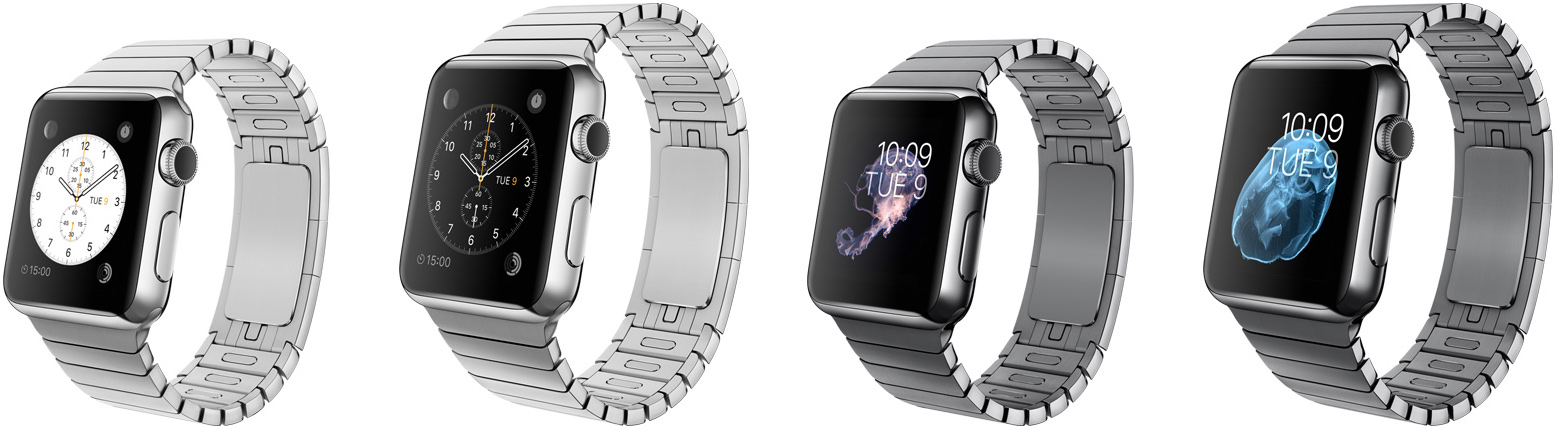
Apple Watch to launch on Valentine’s Day, production looms

Apple reportedly plans to start sales of its “most personal” device ever – Apple Watch – on the Valentine’s Day next year. Quanta, a contract maker of various electronics, is already gearing up to start mass production of Apple Watch in January.
Quanta, which will exclusively manufacture Apple Watch, has started to hire additional personnel to its in Changshu, China, plant in a bid to guarantee steady supply of the smartwatch. Apple Daily reports that manufacturing capacities of Quanta should be enough to produce over 36 million Apple Watch devices a year, but it is unclear whether the number reflects Apple’s sales plans.
apple watch stainless steel 1024x282 Apple Watch to launch on Valentine’s Day, production looms
The Taiwanese news-paper also claims that Apple intends make its Watch available on the 14th of February, 2014, the Valentine’s Day. Since Apple positions its Watch as the “most personal” device it has ever designed, it is logical to start its sales on the day when many people celebrate love and affection, two very personal things.
Even though Apple did not reveal a lot of details regarding its Watch timepiece, the product is among the most anticipated gadgets in the industry.
Apple and Quanta did not comment on the news-story.
Source: http://www.kitguru.net/apple/anton-shilov/apple-expected-to-launch-its-watch-on-valentines-day-as-mass-production-looms/
If you want to contact RDT please feel free to call between the hours of 9am-8pm AEST. deon@robertsondt.com Ph: 0426279566 or visit https://www.facebook.com/rdtaus

Friday, 4 July 2014

iPad Air 2 Leak Pictures!!

Apple has several products lined up for us this year. These include the much anticipated iPhone 6 and two new models of the iPad. one of these is the iPad Air 2 which is supposed to feature several upgrades over the current models. We’ve had several leaks related to the iPad 2 over the past few weeks. They have detailed several changes in the next model, such as form factor changes. Well, japanese site asii.jp has just made a MASSIVE iPad Air 2 leak which now helps us get a very very detailed look at the upcoming device. These include the inclusion of a TouchID sensor which links to previous iPhone 6 leaks.
20140703Air2ACCN_001_cs1e1_800x

Leaked iPad Air 2 Pictures Show A Thinner Aluminum Chassis As Well As A TouchID Sensor

There are quite a few differences between the present iPad Air and the leaked pictures showing the iPad Air 2. These include an overall thinner design as well as a TouchID Sensor on the device, which is a clear upgrade from the previous model. In addition to these, the speaker grill openings on the iPad Air 2 also appear to have been changed. Other differences include those in the volume button and the slide switch. In addition. there seems to be an extra mic opening on the iPad Air 2 next to the front Face Time camera on the device. The thinner design of the iPad Air 2 and the inclusion of FaceTime camera show a device that is going to provide strict competition in the market as well as the fact that Apple has not failed to deliver this time either. Below are the pictures for your viewing pleasure courtesy of the Japanese site ascii.jp. The folks over there have compared them to the present iPad Air so you can get a better look at their differences yourselves.
20140703Air2ACCN_008_cs1e1_480x 20140703Air2ACCN_009_cs1e1_x480 20140703Air2ACCN_010_cs1e1_480x 20140703Air2ACCN_011_cs1e1_480x 20140703Air2ACCN_012_cs1e1_480x 20140703Air2ACCN_001_cs1e1_800x 20140703Air2ACCN_002_cs1e1_480x 20140703Air2ACCN_003_cs1e1_480x 20140703Air2ACCN_004_cs1e1_480x 20140703Air2ACCN_005_cs1e1_480x 20140703Air2ACCN_006_cs1e1_480x 20140703Air2ACCN_007_cs1e1_480x


Read more: http://wccftech.com/biggest-ipad-2-air-leak/#ixzz36Z3OVnVC


If you want to contact RDT please feel free to call between the hours of 9am-8pm AEST. deon@robertsondt.com Ph: 0426279566

Tuesday, 1 July 2014

Android L vs iOS 8

Android L and iOS 8 are set to see a fall release this year bringing up the regular Google vs Apple battle. This year is specifically more heated as Google has shifted its design focus to an entirely new era with Material Design. On the other hand, Apple made this shift last year with introducing minimal, flatter design philosophy for iOS 7. Apple is expected to make its iOS 8, thus, more features-rich than design-focused. The two new versions of rival tech giants do deserve a side by side, Android L vs iOS 8 comparison based on whatever we know so far.android l vs ios 8
This post is no way trying to take side of on mobile OS over the other considering the definite differentiating points of the both OS. However, you are free to stay on whatever territory you are as we are all well aware of how a mobile consumer is supposed to be either a crazy Apple fan or a maniac FAndroider.

Android L vs iOS 8:

One thing that was apparent in Google I/O this year was a focus on Material Design, introduced at the conference itself. From Android Wear to Android L, Google is gearing towards a complete ecosystem design shift. Offering consistency across Android, Chrome OS, Desktop, Chrome browser, and the Android Wear, Google aims to offer a user interface that is aesthetically clean and uncluttered.
Deja vu? Yes, Apple also shifted to a minimalistic look with its last year’s iOS 7. Be it a user feedback based change or that the cleaner look seems to be in fashion, the UI offered by both the tech leaders is based on the same basic principle: simplicity.
We will experience the Android L more when it is released, but from what we can see now it is packed with contrasting colors, bold images, new typography, and added layers to the entire design language. On the other hand, iOS 8 will retain the looks of iOS 7 fixing and improving a little here and there based on the past year’s experience.

Android L vs iOS 8 lock and home screens:

Android L has an increased focus on Notifications with an aim to give user a seamless interaction with the device using notifications. As opposed to earlier, Android L features the notifications right in the middle of the screen (much like iOS 7). You now don’t have to pull down the notification panel to read them. Swipe to dismiss it and tap twice to launch the particular app.
While iOS devices light up for a few seconds to help the user read the notifications at a glance, Android L doesn’t follow that route. When a notification arrives on Android L, the RGB notification light will go off to help user get notification.android l vs ios 8
Another thing that would be appreciated on iOS 8 is the added options: swiping can let you reply to an email increasing the ease for users. Both Android L and the iOS 8 lock screens have a short cut of camera – I totally appreciate the existence of that one! But the Android L lacks a shortcut to the phone app to dial a number as easily as possible.
Android L home screen is pretty much same to what we see in the Android 4.4 KitKat featuring the Google Now, folders, widgets, etc. iOS 8 is also keeping the home screen same to iOS 7 as it isn’t going into major design change.
One interesting development in both operating system is the third party widgets. While Apple finally is open to third party widgets in the notification panel, Google has stopped supporting the lock screen widgets, perhaps to make the lock screen uncluttered. Many comment that Apple opening its arms to third party widgets is due to users loving Google’s, it is yet to be seen how Android L’s lack of widget-support is taken by the end user. For one, it would definitely help in cleaning up the entire lock screen look.

Android L vs iOS 8 notifications and quick controls:

Android L significantly improves the notification panel by sorting the notifications with their priority order so important alerts get pushed up to the top. iOS 8 on the other hand classifies notifications under the tabs of different applications. The order of how these apps appear in the panel can be changed from Settings though.android l vs ios 8
Coming to the Quick Controls menu, iOS 7 made our lives easy giving us the ability to access quick control menu from any screen whatsoever. Filled with all the basic quick controls including brightness, WiFi toggle, music playback, Bluetooth, Camera, etc, iOS 8 will keep the Quick Controls as it. Android L is introducing a redesigned Quick Controls menu that is now accessible from the pull-down panel like before. The Android L Quick Controls menu now is stuffed with some basic controls that were lacking earlier including brightness slider and screen orientation lock.

Multitasking:

Moving away from the column of recent apps, Android L now features a redesigned interface for apps in the shape of a stack of cards, yep! While this is better looking and intuitive, the screen only shows 3 cards at a time requiring you to scroll down.
iOS 8 will better the current multitasking scenario by listing the apps in a chronological order with their icons on a separate row. iOS 8 multitasking menu will also feature a very helpful list of the most frequently contacted contacts to help user perform the basic contact functions quickly.

Android L vs iOS 8 photo galleries:

iOS 8 Photo app works as the gallery and editing platform for the OS. You can sort the images by time and date and back up easily to the cloud for storage. iOS 8 also packs quite a few editing skins for photos that though aren’t as extensive, perform the basics quite cleanly. android l vs ios 8
Android L photos are also viewed in the Photos app where they are stored in two different tabs: one that stores all the images and another titled Hightlights carrying a few images organizing them by date. Like iOS 8, Android L too offers automatic back up to cloud and offers editing tools. Unlike iOs 8, Android L’s editing tools are quite varied and extensive packed with image filters, frames, basic functions, and effects. Very easy to play with to get some good results on your image.

Voice for Search:

android l vs ios 8Google has started offering its voice commands for search with OK, Google command. OK Google works seamlessly from any home screen and with a recent update for Search app, the command can be used from any screen including the Lock screen. iOS 8 too has an equivalent of OK, Google with its Hey, Siri voice command for search function. However, iOS 8 only works with the aforementioned command when the device is plugged into a power source, which is pretty useless.

The battle of being the best:

All in all, both the Android L and the iOS 8 look promising in their beta versions. However, this year Google’s Android L will definitely get more attention due its complete design overhaul and introduction of having a consistent design philosophy through out the company’s services. With a visual treat and added layers in to the design, Android L is definitely going to win the hearts of its fans.
iOS 8, on the other hand, may not be introducing a visual redesign, but it doesn’t need one considering only last year it got a complete revamp. Apple’s opening to third party widgets will remain a highlight which opens the iOS devices to a pretty vast array of services and features that will keep us engaged with the OS’s interesting proceedings.
iOS 8 is expected to be released with the iPhone 6, probably in September; Android L is expected to be a little late with a pre-Christmas release on a new Nexus. Let us know what is your favorite feature of Android L and iOS 8 and which feature would you prefer getting some focus?

Please Check out WccfTech for some awesome news

Source: http://wccftech.com/android-l-vs-ios-8/#ixzz36GZCj4tP

If you want to contact RDT please feel free to call between the hours of 9am-8pm AEST. deon@robertsondt.com Ph: 0426279566

Monday, 2 June 2014

Hands on iOS 8


To me it seems like iOS is playing catch up to Android at the moment, of course with the Apple touch of design. All in all it seems like it's going to be pretty nice to work with, especially when Apple finally releases a bigger phone.

Thursday, 13 February 2014

Flappy Birds is OUT, Whats in it's Place??

Flappy Birds is simple game that some how went viral and amazingly well, I personally found it a bit boring but still felt the need to play it. Now that the developer has taken it down there is a swarm of clones jumping up in its place one that some might find a little fun is Fall Out Bird It will give you exactly what you need.


But if you are like me and simply do not like Fall Out Boy, Try Ironpants this game is harder than Flappy Birds and is incredibly frustrating hence making it better I guess? still these games I only play when I am in transit or incredibly bored and with out a PC. Let me know what you think.